
Type comfortably from your browser. Your journal stays with you.
Notedog is a portable, private Markdown journal for Android. Your entries are plain Markdown files you own. Write on your phone, edit from your browser, and back up with Git when you choose.
See it
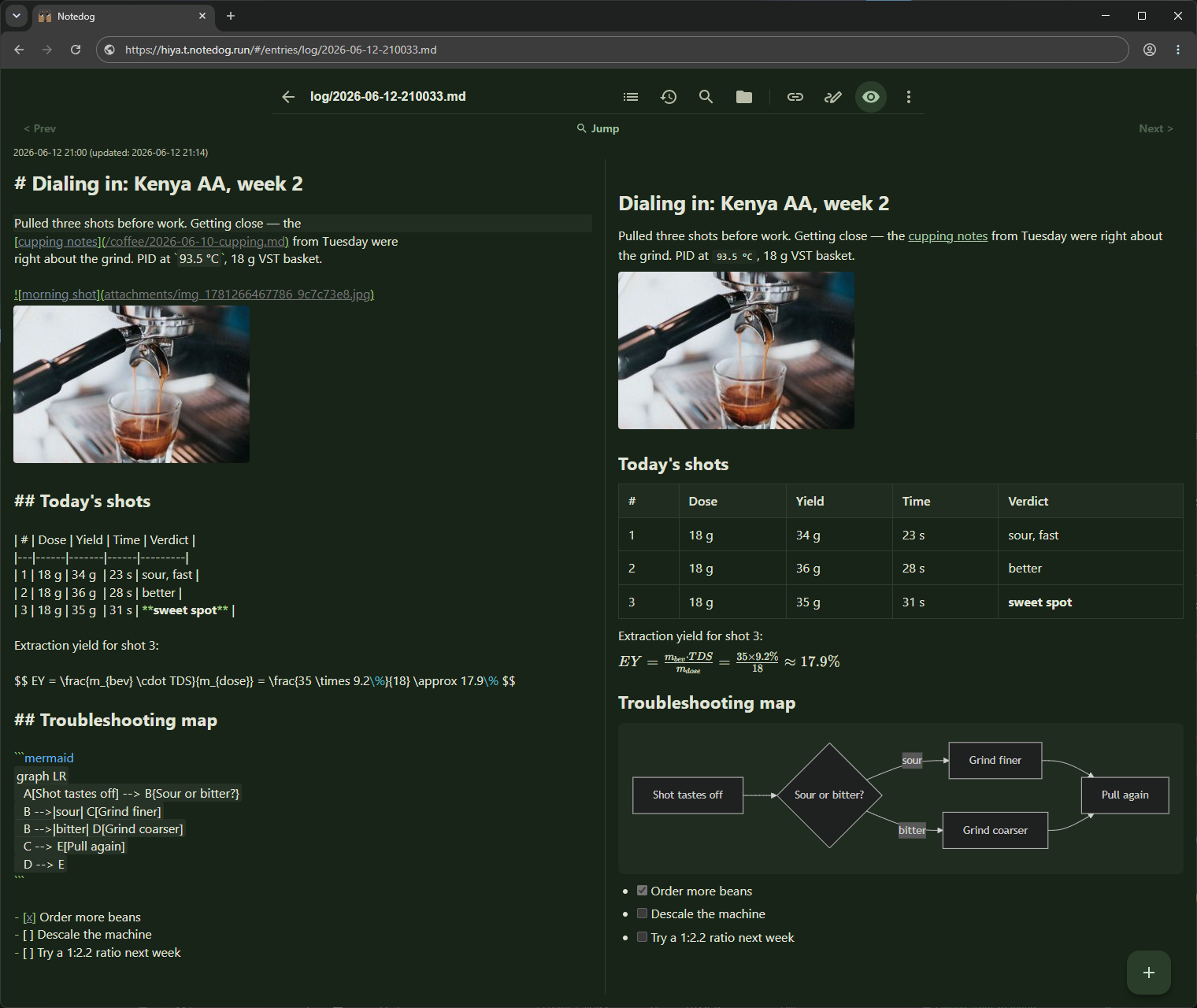
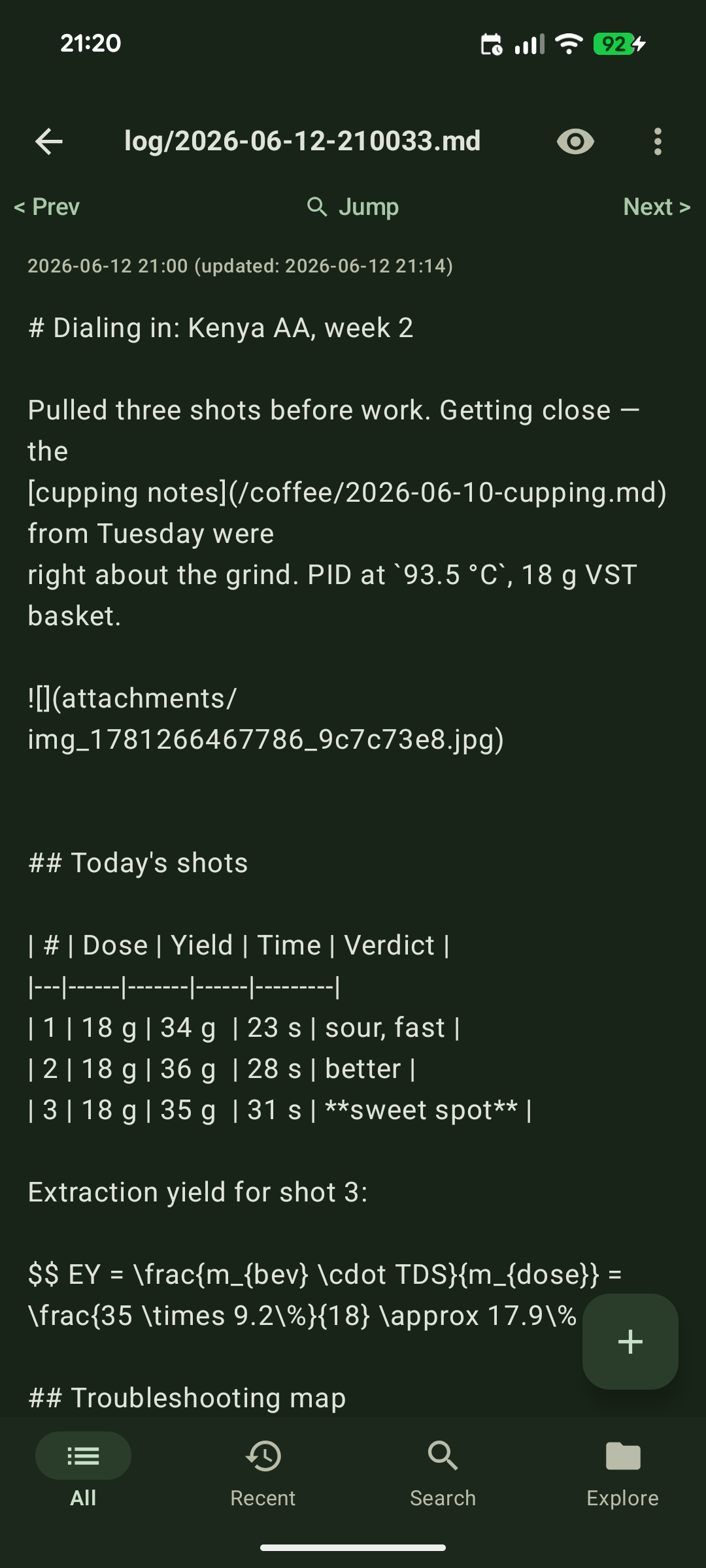
The same note, on your phone and in your browser.
One entry stored as a plain Markdown file on the phone, and opened in a desktop browser with live preview: tables, Mermaid diagrams, LaTeX math, and photos.
.md file you own.Features
Private, portable, and practical.
Core is free It needs no account and includes LAN or hotspot browser editing and Git backup.
Browser editing
Edit from your laptop browser
Pair a desktop browser on your local network and edit the notes stored on your phone, with optional Vim keybindings and automatic dark mode.
Markdown native
Live preview with diagrams and math
An editor with live preview for GitHub-flavored Markdown, Mermaid diagrams, LaTeX math, ABC music notation, syntax-highlighted code, and image attachments, on your phone and in the browser. See the formatting guide
Git backup
Back up with Git when you choose
Back up each journal to GitHub, GitLab, Gitea, or your own Git server, manually or automatically. Need a GitHub token? The remote can also hold only encrypted files: keep your journal encrypted on the remote. Already keep notes in Git? Bring your repo.
Optional tunnel
Reach your phone from outside your network
Use the built-in tunnel (US$0.99 a month, with a free trial) or a free option like Tailscale. The tunnel relays access; it does not store your journal. How remote access works
API & AI agents
Connect scripts and AI agents
A small REST API and an MCP server let your own scripts or AI agents read and, when you allow it, write your journal. Connect Claude.ai, ChatGPT, or Claude Code remotely over the tunnel, or local CLI agents with an API key. One thing you can build with it: an agent that keeps index notes organized on a schedule. API reference
Private by default
No analytics anywhere. No account for local use.
Your journal stays on your phone unless you enable Git, browser access, the tunnel, or an AI connection.
FAQ
Storage, browser access, and privacy.
Does Notedog collect my data?
No. Notedog ships with no analytics, tracking, or advertising libraries, and collects no usage data. Your entries, including text, images, and files, stay only on your device. We never copy them to servers we operate.
Where are my notes stored?
Notedog stores your entries and attachments in app-specific storage on your Android device. Each entry is a plain Markdown file. Uninstalling Notedog deletes them from the phone. Android's own backup may restore them on reinstall, but only while the app's data stays under 25 MB, so don't count on it. Set up Git backup, or export a ZIP, before you uninstall.
What devices can I edit from?
Any device with a modern browser: a laptop, desktop, tablet, or another phone. Connect over the same local network or a phone hotspot, through Tailscale, or using the optional tunnel.
Does Notedog need an account or internet connection?
No. The core app and local browser editing work without a Notedog account or internet access. Git backup and the remote tunnel need internet access; the tunnel also requires Google sign-in.
How is browser access protected?
Pairing opens for 60 seconds only when you request it and requires approval on your phone. Connections use HTTPS, and you can revoke paired browser sessions from the app.
How can I back up or move my notes?
Export the journal as a ZIP from the browser editor, or back it up to GitHub, GitLab, Gitea, or your own Git server. The exported entries remain ordinary Markdown files.
What is free, and what is paid?
The Android editor, LAN or hotspot browser editing, Git backup, and Tailscale option are free. The built-in HTTPS tunnel is an optional subscription: US$0.99 a month in the US, with a free trial. Google Play shows the price in your currency, and you can cancel there anytime. Its relay stores limited account metadata but does not persist journal content. See the remote access guide.
When I use the tunnel, does my journal pass through your servers?
The relay forwards traffic in memory to reach your phone. It never stores your notes or the contents of your requests. The only account data it keeps is what it needs to run your subscription: your account ID, your chosen subdomain, session tokens, and subscription status. On your local network or Tailscale, nothing passes through us, and your browser talks straight to your phone.
Free to start
Start a journal you can keep.
Your phone keeps the journal. Any browser can be your keyboard. No account required for local use.